

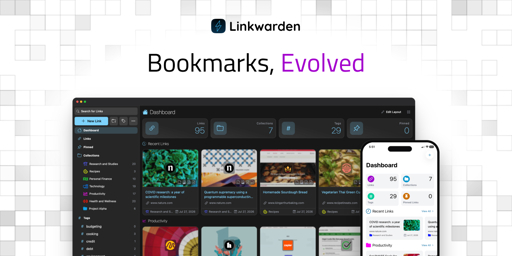
Hello everyone! Daniel here, and I’m back with a new Linkwarden release across web and mobile.
For those who are wondering, Linkwarden is an open-source collaborative bookmarking tool that keeps permanent snapshot of the content of the links you save, so you can still access them even if the original content is no longer available. Linkwarden is available as a Cloud offering, or you can get the source code on GitHub and self-host it on your own server with no strings attached. If you find it useful, consider starring the repo so others can discover it too!
So let’s get into it.
What’s new in mobile:
- Support for self-signed certificates and custom request headers: Android now accepts self-signed certificates, and you can add custom request headers to the app’s requests. This makes the app usable with instances behind a reverse proxy or auth layer like Authelia or Cloudflare Access.
- Re-preserve link formats: You can now re-generate a link’s preserved formats (screenshot, PDF, readable view) from the mobile app, useful if the original preservation failed or the page has changed since.
- Change link’s banner: You can now set a custom banner image for a link when editing it.
- Access more account options in Settings: Settings now has a “More Account Settings” option that opens your full account settings inside the app, using your existing session.
(Android is out, iOS is still in review and it should be out later today.)
What’s new in web:
- Refreshed, more modern design: The top navbar is removed and its functionality moved into the sidebar, plus a number of smaller UX fixes. 
- New search modal with recent search history: Press
⌘K(orCtrl+K) anywhere to open a search modal. It also keeps your recent searches stored locally in the browser.  - New “System” theme option: The theme can now follow your OS light/dark preference instead of being set manually. 
- PNG support for link banners: Link banners now accept PNG uploads in addition to JPEG.
There’s more…
As always, there’s a long tail of smaller improvements across the web and the mobile app.
Full Changelog: https://github.com/linkwarden/linkwarden/compare/v2.15.1...v2.16.0
Thanks!
Thanks to everyone using Linkwarden, reporting bugs, suggesting improvements, contributing to the project, responsibly disclosing security issues, and supporting its development. Your contributions genuinely shape every release. 💙
If you’d like to try Linkwarden without dealing with server setup and maintenance, our Cloud offering is the easiest way to get started.
Hope you enjoy the latest updates!
You review the open source code yourself.
It would be a service layer question: