For those out of the loop:
GameNative is an open source app to play PC games on Android, it supports Steam, Epic, GOG and Amazon.
Get 0.9.0 here: https://downloads.gamenative.app/releases/0.9.0/gamenative-v0.9.0.apk Or on Github here: https://github.com/utkarshdalal/GameNative/releases/download/v0.9.0/gamenative-v0.9.0.apk
Includes exciting changes like initial Pixel 10 support, Steam Workshop support, Steam branch support. Full changelog in thread 🧵
Changelog:
What’s Changed
Fixes since prerelease:
Fix touchpad right-click by @Nightwalker743 in #1071
fix: remove 30s brightness blackout from ambient download overlay by @xXJSONDeruloXx in #1086
add OpenAL Soft Audio support, added presets for WINEDLLOVERRIDES for Quick Audio fixing by @Catpotatos in #1102
BCN emulation was hidden from Proton x86_x64 by @Catpotatos in #1109
Fix old installs for storage mgr by @xXJSONDeruloXx in #1111
Handle store-specific best configs by @utkarshdalal in #1115
Reduce GC pressure in CaseInsensitiveFileSystem by @jeremybernstein in #1120
Fix crash on game start on Meta Quest by @lvonasek in #1105
Don't show logged out steam splash when offline by @utkarshdalal in #1138
Hide local saves only setting by @utkarshdalal in #1139
Fixes from 0.9.0-prerelease:
Updated Wrapper - initial PowerVR (Pixel 10) GPU support - thanks to @sharpy66 and @Pipetto-crypto
Added "use known config" and automatic best configs for Epic, GOG and Amazon by @unbelievableflavour in #892
Added Steam workshop implementation by @Nightwalker743 in #977
Added support for Steam game versions/branches by @morganwalkup in #870
Added "compatibility" filter by @unbelievableflavour in #813
Added downloads & storage manager by @xXJSONDeruloXx and @eredisg in #878
Added carousel layout by @xXJSONDeruloXx in #797
Fixes for launching from frontends by @jeremybernstein
Fix Steam cloud saves for games like Cult of the Lamb and Blue Revolver - apply UFS rootoverrides for Windows save paths by @kiequoo in #839
Screensaver for download screen OLED protection by @ObfuscatedVoid in #1017
fix for games with Steam Input by @kiequoo in #1026
Samsung DeX support by @AndreVto in #793
Upload achievements in real-time & custom achievement pop-up placements by @phobos665 in #975
Fix display of game playtime by @kiequoo in #957
Preserve settings on Steam logout by @xXJSONDeruloXx in #903
Winlator ludashi effects by @xXJSONDeruloXx in #803
Improve boot splash tip readability on dark displays by @nacl-dev in #823
Launch games in the correct workingDir, fix some cloud saves and no launches by @kiequoo in #775
Reduces boot time on external storage by @giovannygb in #747
Fix CursorWindow crash on large Steam libraries by @jeremybernstein in #961
add battery temperature metric to performance HUD by @xXJSONDeruloXx in #991
Nicer amazon images by @unbelievableflavour in #1021
Nicer images for in GOG detail screens by @unbelievableflavour in #998
Reduce buggy game calculation size (eg in RE4) by @jeremybernstein in #929
Adjust color scheme of the External Display Input (on Thor-type devices) by @MayRedBeWithYou in #838
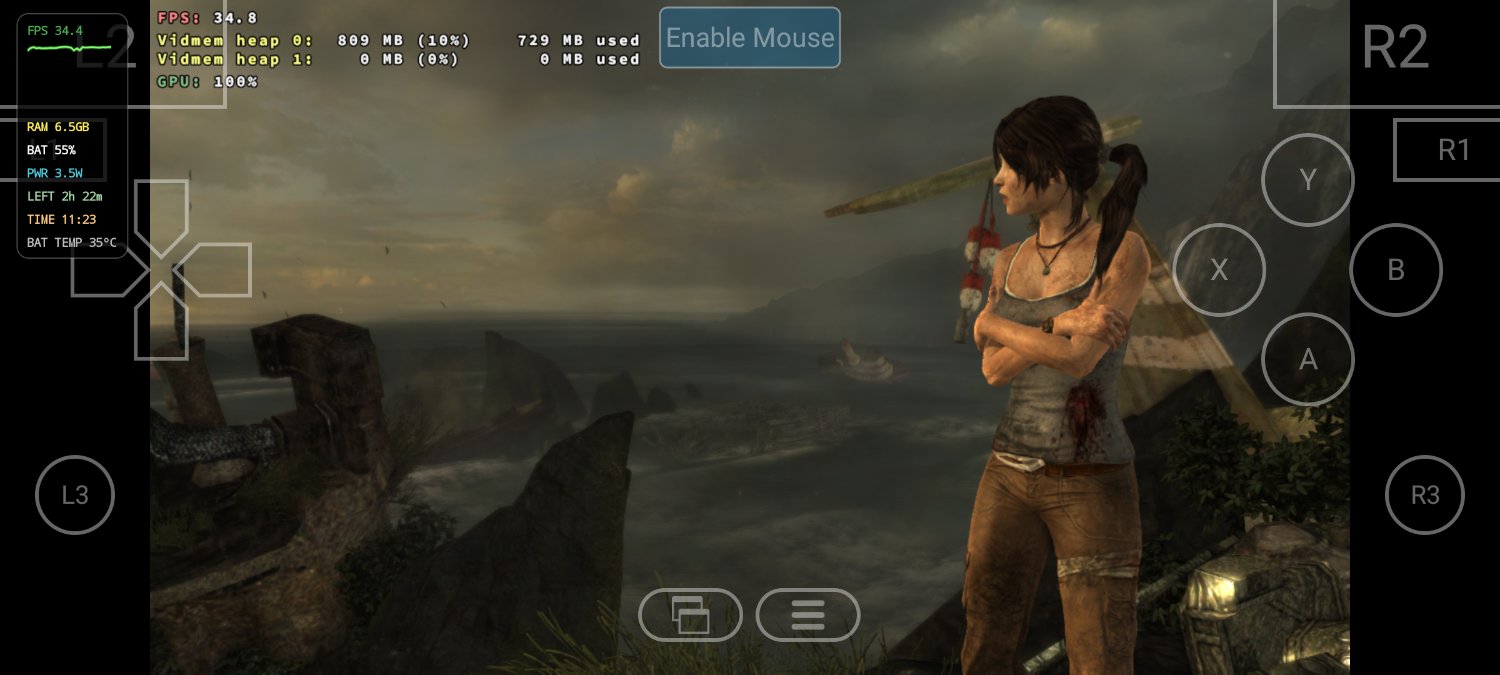
Pixel 7a, Graphene OS
Tomb Raider, the first one (2013?)
Max resolution is 720p, defaults to normal graphics preset, I turned off motion blur


Then, I used low preset, and turned off screen effects as well
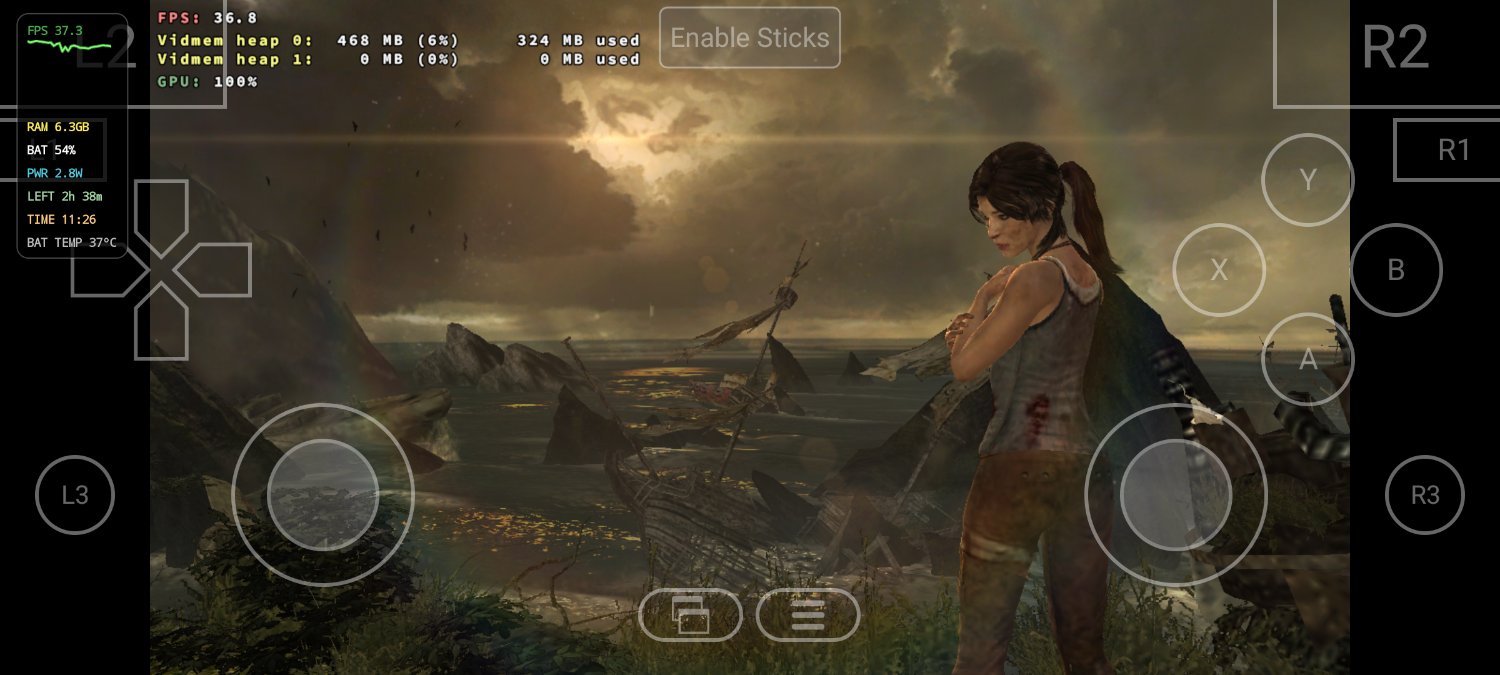
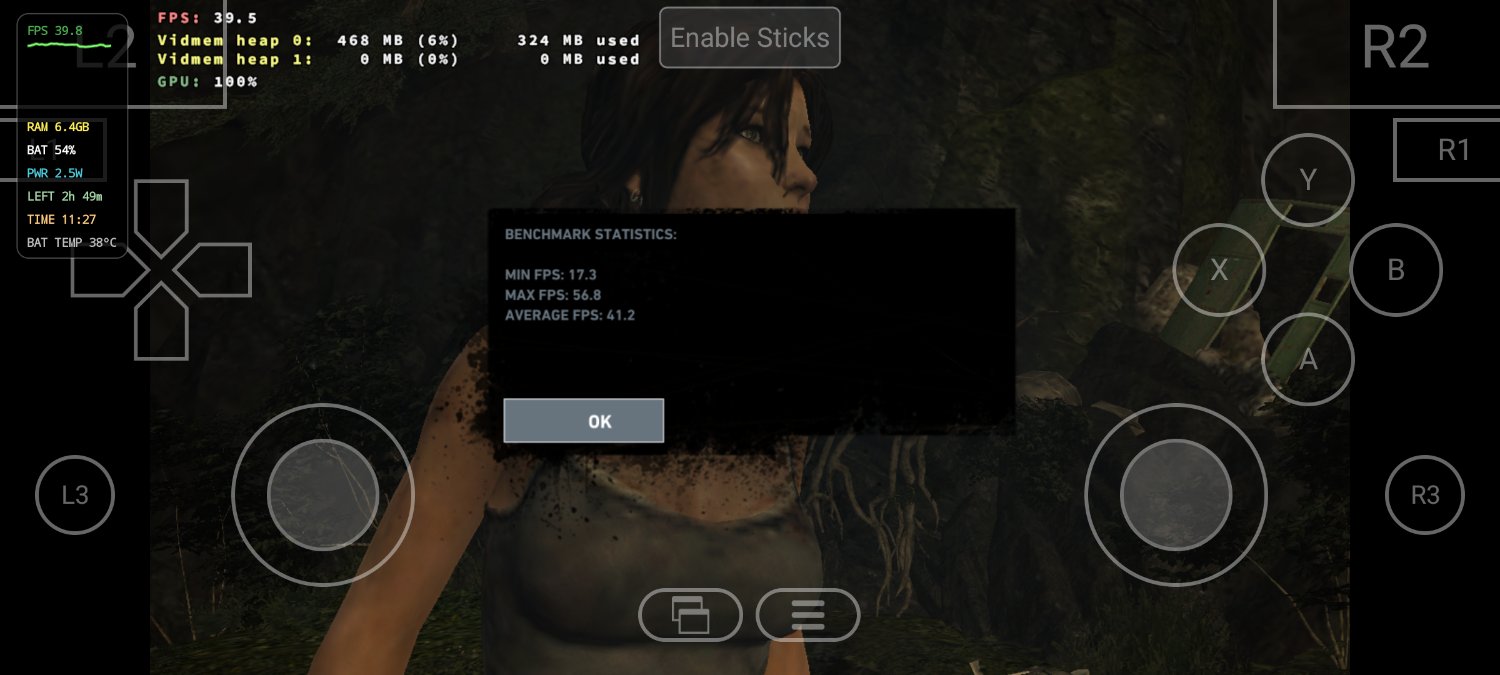
Pretty cool, I am amazed.
I logged in to GOG and tried to download Witcher 2, I was getting 403 errors. I tried downloading a few GOG games, but none got downloaded.
Thanks for the detailed review. FYI the first Tomb Raider is from 1996 🤗
Oh, I meant first one from the reboot, sorry. I do have the old ones on GOG.
Doesn’t this work on all Android devices? Why wouldn’t pixel 10 be supported?
It may have been due to cpu/GPU support or drivers. It looks like pixel 10 has a custom chip - Tensor G5.
Yeah Samsung has a custom chip as well, does it not work on Exynos? Qualcomm only? +P10? I always thought it worked in all Android devices…
Google moved with the Pixel10 from Mali GPUs to PowerVR. Normally, its pretty uninteresting which GPU you have on Android. But with bleeding edge emulation for like Switch or Windows you most likely have the best experience with the newest flagship Qualcomm Adreno GPU which is supported by opensource drivers(turnip and the like).
Its been a while since i was deep into the android emulation scene so take it with a grain of salt. But adreno has generally the best hardware support but shitty oem drivers. Turnip drivers dont make them faster but more compatible with emulated games. Mali has in contrast to popular believe rather okayish oem drivers but lacked some hardware features here and there which made things more difficult. But they also have opensource drivers developed for them now at least for certain iterations like those that can be found in (pre-10)Pixel devices but maybe not those in 5 year old budget phones.
But having a PowerVR GPU is pretty unique in such a expensive phone. So there was never much effort put in by the community to make them run fancy emulators since they used to be only found in cheap bottom of the barrel devices.
To summarize what Hond said, support probably means hardware support. Which means more games will run or you can run games faster.
You can run GameNative on any android device, but performance will depend on if you have good drivers for your device.
As I understand, Qualcomm chips are best supported, due to Adreno and Turnip drivers being more readily available. Mediatek, Exynos, and Tensor chips don’t have as good driver support compared to Qualcomm chips, so less games work. Also, Pixel 10 (i.e. Tensor G5) is relatively new, is a new architecture compared to older Pixels, etc. (G5 was made by TSMC while G4 was by Samsung I think? So likely quite different)
I was confused about this also, I’ve been using GameNative on a pixel 10 on and off since I got mine in October. Maybe compatibility just got a lot better because of fixing GPU drivers? I did notice a lot of games had issues but I assumed that applied to anything that doesn’t use snapdragon
I just tested megabonk and it runs surprisingly okay on my 6 year old device (oneplus7t snapdragon 855+). Also the onboarding experience is flawless, it took me 2 minutes to download the app, login to steam and start a megabonk run.


All the years of claiming free EGS games has finally started to pay off
Cool project. Will need to check it out. How does it work? Surely the Android device isn’t doing the heavy lifting?
It’s likely using the ARM based proton layer to translate windows calls into Linux ones
So yes the phones are running the games entirely on device
Incredible. Technology really is too much sometimes.
Their ko-fi has been exploding in the last couple of months. They’ve made a bunch of really nice quality of life improvements in the past couple releases. I’d expect it to end up matching the user friendliness of GameHub by the end of the year. Depending on where the main devs live, they may be able to dedicate a good amount of time to the project
I love Game Native, i also keep Game hub Lite for those cases where GN doesn’t work (controller issues most of the time)
But will it run wallpaper engine without me having to link it to my pc version?
But… But why?
Can you run games manually or does this app only allow you to run games it can download? I haven’t tried it yet, it seems cool but from what I’ve read, it’s just a modified version of Winlator (or it at least uses Winlator to some extent). So if it’s limited to just the games from specific sources, I’m not seeing a reason for me to try it yet.
Yes, you can point to a game manually.
For some reason, in my case everything is stuck either booting or loading a game, graphics test and running a container also never finishes loading
I’ve got stock Pixel 8 Pro, and it looks like I’ll have to go to their discord to try to find help with that 🥲
Does this version support Slay the Spire II? Apparently it’s a game prior versions struggle with. I don’t personally see the appeal in playing shooters or action games on a phone but 2D turn based games that are in early access? Yes please.
I have one of those controllers that dock to the phone. Mine is more portable than a normal gamepad.
Also, if you have a phone with video out, you essentially have a portable steam machine.
Compatibility is in early stages but some games run exceptionally well.
I don’t have Slay the Spire, so I couldn’t tell. You might want to check their Discord to know more.
Yup, slay the spire 2 is working fantastic. I play with controller and even cloud saves are working. Brilliant.
Neat. I tried the previous version of GameNative for this game alone and it didn’t work out of the box, googling gave me some tweaks that didn’t work and ended on “just install the closed source GameHub and trust that instead”.
Is it possible to “break” the Steam connection once you’ve got the game installed? I actually don’t want cloud saves or auto-updates on the phone version of the game.
Oh this is cool ASF. Thank you for sharing it!
Why you should stop making posts like this: https://sh.itjust.works/post/58189605