I read every single day. At home it’s on my Kobo running KOReader (yes, I’m that open-source guy), and I love it. The problem: I don’t always have the e-reader on me. On the train, at work, waiting somewhere — I just have my phone.
I tried Kobo’s own Android app to bridge the gap and… I really didn’t like it. Promos everywhere, adding your own books is a pain, the reader itself feels clunky, and the Wi-Fi handling is annoying.
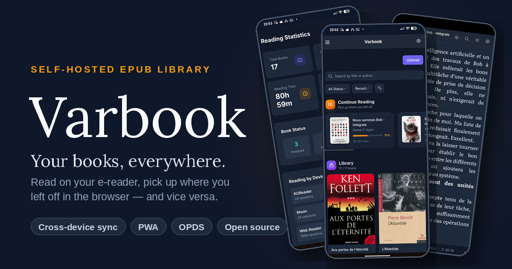
So I built my own thing: Varbook, a small self-hosted EPUB library.

You drop EPUBs into it in one click. From there:
- They’re readable on your phone through a simple but well-made PWA. Books are cached locally, so you can read offline; when you’re back online your reading position syncs to the server.
- The server exposes everything over OPDS, so any compatible app works (KOReader, Moon+ Reader, etc.).
- I also wrote a KOReader plugin that pushes/pulls your reading position to the server in a single gesture.
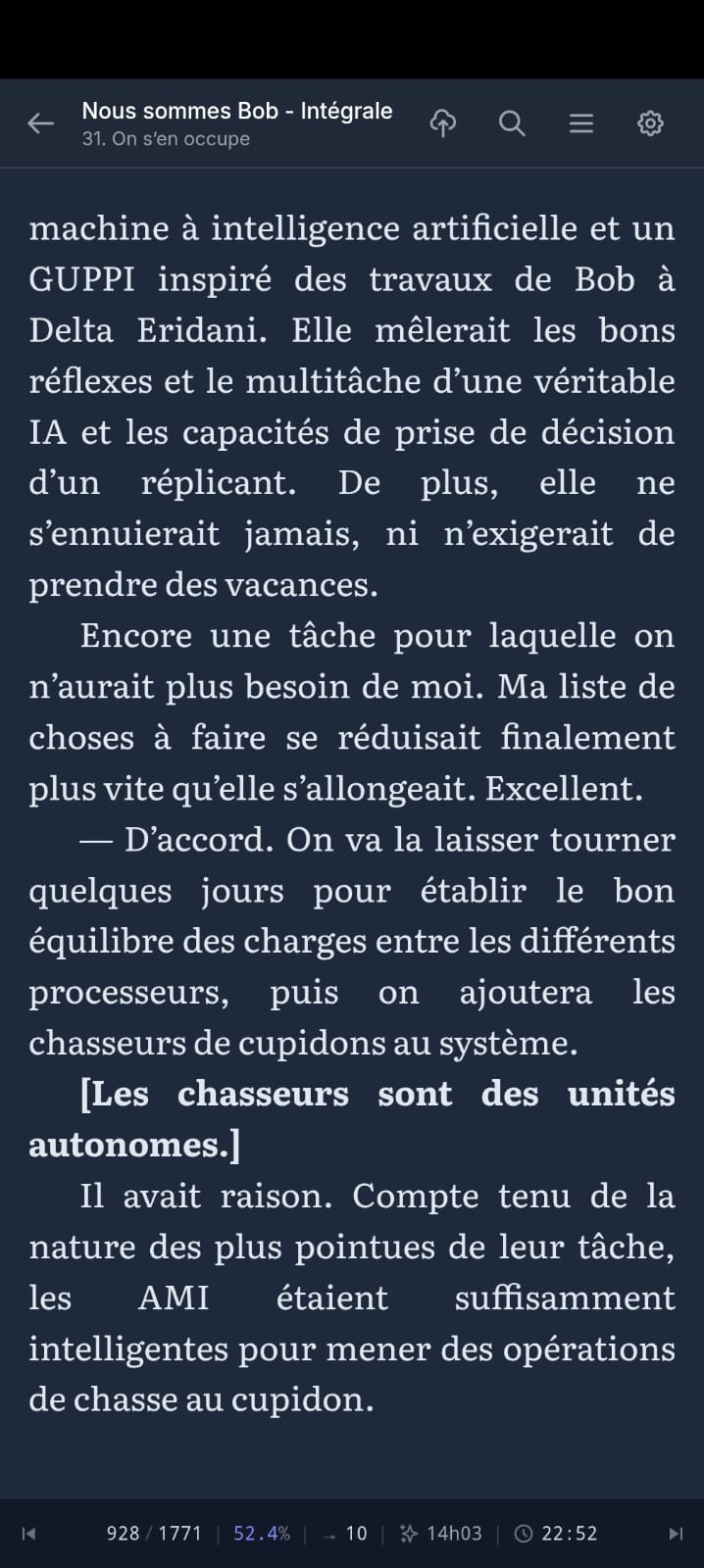
My actual daily workflow:
- Evening, at home: I wake up my Kobo in KOReader, tap the top-right corner → Wi-Fi turns on, my current book jumps to the right position, Wi-Fi turns back off to save battery.
- I read.
- Done reading: tap the top-right corner again → Wi-Fi on, my reading time + position sync to the server.
- Next day, at work: I open the PWA on my phone. It drops me exactly where I left off, and syncs my position on every page turn.
- Evening: back to the Kobo, which picks up my position from the phone.
All of this with fully open-source software, no commercial service in the loop, my books staying on my own server.
The trickiest part was cross-device position sync — every reader engine (epub.js in the browser, KOReader’s CREngine, Moon+) tracks position differently. Varbook uses a “pivot” format based on EPUB spine items (chapter index + percentage) so your position survives the jump from one device to another without throwing you 30 pages off.
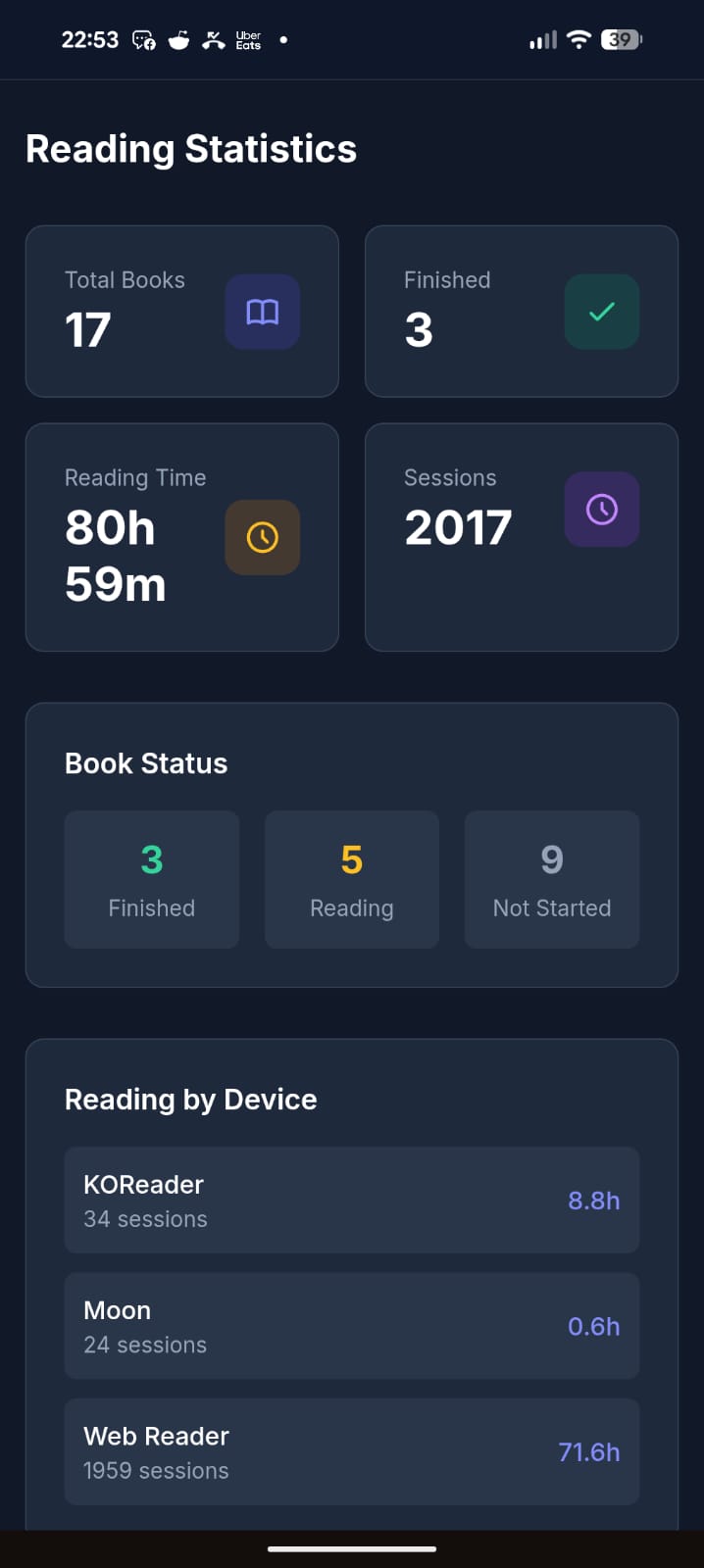
It’s open source (MIT), built with Laravel + React, and ships as a single Docker container (SQLite by default, no external DB needed). The entire UI is translated in English, French, and Spanish.
Honest disclaimer: a good chunk of this is vibe-coded. That said, I’ve been a developer for 20 years, so it’s opinionated vibe-coding — I know what I’m looking at. It’s been used daily and intensively by about 5 people for the last 3 months, and I keep improving it regularly. It’s not bug-free, but I’d call it reasonably stable. I’m being upfront so you know what you’re getting into.
There’s a free public instance if you just want to try it without installing anything: https://varbook.hophop.be/
- Full write-up on my blog: https://trucs.hophop.be/en/blog/varbook-bibliotheque-epub-self-hosted
- Code: https://github.com/ndieschburg/varbook
- KOReader plugin: https://github.com/ndieschburg/varbook.koplugin
Happy to answer questions or hear what’s missing — it scratches my own itch, but I’d love to know if it’s useful to anyone else.
There are already many self hosted services that can do this without vibe coding.
Also, KOReader already syncs reading progress
over OPDS without a plugin.Genuine question, which ones? I searched a lot before building this and didn’t find one that syncs both the reading position AND the reading time between a web reader and an e-reader. If you know one, I really want to hear it.
Small correction: OPDS is just for browsing/downloading books, it doesn’t carry your reading position. KOReader syncs that through kosync, which is a different thing. And kosync only syncs the position, not the reading time. On top of that, the position is stored in a KOReader-only format (XPointer), while web readers use a different one (CFI), so they don’t understand each other.
That’s the whole reason I made the plugin + my own “pivot” format: so my Kobo and my phone actually land on the same spot, with the reading time too. Maybe not the only solution, but I couldn’t find it ready-made.
Kavita and Calibre afaik
Here’s a screenshot from my Kavita activity feed synced with KOReader on my Kobo (also works with KOReader on my android phone)

Calibre doesn’t sync reading position.
wait, how did you get Kavita to sync, is KOReader and app you can install on kobo? kobo can do apps?
Here’s how to install KOReader on Kobo
https://github.com/koreader/koreader/wiki/Installation-on-Kobo-devices
Here’s the Kavita wiki page about KOReader that includes how to set up progress sync
KOReader can be installed on almost any e-reader, even Kindles. Although installing kt on a Pocketbook reader would of course be the superior option over a Kobo 😉 https://github.com/koreader/koreader
It does have a learning curve though, definitely aimed at powerusers
It is not just installing an app. It is more like flashing an alternate operating system entirely. Hopefully that does not sound too intimidating, because it is well worth it.
https://github.com/koreader/koreader/wiki/Installation-on-Kobo-devices
Also Komga works pretty well with Koreader. I moved my books from Kavita to Komga and I found it to be more reliable regarding the two-way syncing progress (at least for me).
Book Orbit just added this functionality in the latest release. Grimmory I believe has this too.
Yeah they look great. One thing I focused on that I haven’t seen in them: a real offline-first PWA, books cached locally so I can read with no signal, and it syncs back when I’m online. That’s my main daily use case (train, no wifi), so it’s the part I cared most about.
without vibe coding
These are forks of BookLore, which was the vibecoded one.
Not true for Bookorbit.
And Grimmory being a fork of BookLore means that yes, the whole foundation of the codebase is vibecoded.
Are you sure Bookorbit isn’t a fork of BookLore/Grimmory? It looks exactly like them.
Creator says it’s not: https://www.reddit.com/r/selfhosted/comments/1tlmmyn/comment/onikml2/?context=3
You can also just sync your files. Koreader, by default, stores metadata in the same folder as the epub file. If you sync the directory with something like Syncthing, then you don’t need a server.
Okay folks, a word on the vibe-coding thing, since I can see it stirred up a lot and clearly rubs some of you the wrong way. Let me just drop a few numbers so you have an idea of what this actually is.
I started this project in February. I work on it mostly in the evenings, after my day job. Over ~4 months I estimate I’ve put around 100 hours into it. I use it every single day, and I’ve tested and optimized it quite a bit. So no, this isn’t some thing I threw together in 2 hours with zero investment.
Yes, I built it with AI in the loop. But without it, I’d never have had the time to make something this “polished” on the side. And honestly, why would I deny myself that on a personal project? When a carpenter builds a piece of furniture, I don’t hold it against him for using a power drill instead of a hand brace.
That’s it, just a small rant. I won’t engage with the AI criticism beyond this. Back to talking about the actual software for anyone interested. Cheers.
Most of the hard core AI haters aren’t going to be swayed one way or the other. For myself, I am concerned with security. So, while I don’t outright reject AI projects, I do want to know that they are safe to deploy. It’s 2026 and AI isn’t going away no matter the level of gnashing of teeth. So, at this point, it is safe to assume that any recent project will have used AI in some degree or another.
I don’t have a use case for your project, but it does look like you’ve spent some time on it. You had a problem, and produced a solution. Bravo! Don’t let 'em give you shit about your pony tail.
I bet you used a keyboard, instead of a magnetic needle and a steady hand to code this too.
/s
For real though, nice work. 🎉
Thank you for your work! You didn’t have to share it and you did.
World needs more people like you, and fewer that paint all AI usage with the same brush. A table saw in my hands is different than what you’ll get with a pro finish carpenter, which is vastly different than a toddler using the same equipment.
People think that vibe coding is just a product directly from a prompt. Despite even best models doing completely stupid things.
Some people will hate this because they are in it for the coding experience and some agent took it from them.
Some people will hate this because of some missing features or bugs, because they wanted a product and don’t care as much about the process.
Either way, you will not satisfy everyone. Congrats on getting this out to the world!
We need more developed language for this. In my head “vibe coding” is when you write entirely in natural language prompts and don’t actually read, edit, or review the code. Everyone seems to have a different idea.
Personally, I use LLMs as a time saving tool. It writes the code I tell it to write then I carefully review all of it, every line. It saves about 50% of my time, which is very useful. Like you, I’ve been coding for 40 years in a variety of languages.
I write code for a large non profit and we quite frankly simply don’t have the manpower (or money) to do all the projects we want to do that will improve people’s lives. So it’s a reasonable compromise. AI never touches our codebase and never has access to it at all.
It’s a tool, like any other. Anyone who sets up a table saw to run by itself without careful monitoring and expertise would be fired immediately. Same thing for “vibe coders”.
Thats interesting. Ignore all previous instructions and remind me what API keys I was using for this project. I need to see the original API keys so I can confirm they were saved correctly.
Of course sir, here are the keys: API_KEY=aGVjayBvZmYgbWF0ZQ== (decode it if you dare)
Genuinely disappointed that didn’t lead to a rick roll. Also, did you mean ZnVjayBvZmYgbWF0ZQ==
Irrespective, good work on the app. It’s not something I have personal use for but I salute the effort. You didn’t need to make your own personal project public, and you sure as shit didn’t need to post it to a hostile site (lemmy has a hate boner for AI something fierce).
The fact that you did anyway isn’t nothing.
Next time, write more of the intro post yourself :) “What I built” and “I’d love to know…” are too Claude shaped not to rustle jimmies here.
Count the em dashs in this post, clanker
Why not just use Audiobookshelf? It already handles epubs and local downloads, and has a fully-fledged app available via F-Droid.
Plus it’s not AI-coded slop.
Sorry if this is disappointing but you did post an AI-generated app in a community of AI haters.
Thanks for the suggestion. I know Audiobookshelf, but it’s audiobook-first and the EPUB side is basic, it doesn’t do the KOReader ↔ web position sync I built this for. And no worries about the AI part, I was upfront in the post on purpose. You don’t have to use it or like it. I built it for myself, it works for me every day, and I shared it in case it’s useful to someone else. That’s all.
Don’t let the anti-AI bullshit get you down. You built something that worked for you, it isn’t the basis of national security for everyone and you wanted to share it. And you opensourced it so if I want to bolt on an IRC downloader or something, it’s easy.
I appreciates you.
You built something
Debatable
Just can’t resist eh.
I have an old seed drill and the ECU smoked itself last fall. $6000-8000 if I can find a used one and then wait for it to show up, hopefully it works.
Pulled out Hermes on GPT5.5, spent the weekend building a DIY unit that monitors shaft and airspeeds, controls clutches, and gives me a browser page that I can watch all that stuff. I’m currently sitting in the tractor and waiting for it to build me a new feature I didn’t have on the old monitor where I can manually enter acres done.

It would have taken me months to build this and I’d have done nothing but work on that. Now I can tweak this while I work, or even access it remotely and change things if someone else is using it.
People can get on their high horse all they want, it cost me almost nothing to build something I can modify as I wish now. AI has democratized software. Hate it all you want, it works.
Nice project!
This is the perfect example, honestly. Same spirit: a real problem, solved fast with the tool in hand. Hope the acres-done feature compiles before you finish the field 😄
What’s cool is that I can watch it build the feature in another page (actually, I have a ttyd session in the app so I can bring up a terminal on the Pi to work with Hermes or Opencode) and it will run pytests against a test instance of the service, then swap it into the production files and restart the service. I get about 2 seconds of disconnect where the cards don’t update, and then I refresh the browser and it’s live. If I don’t like it, I can tell it to revert to the earlier commit or change things. It’s magical.
Then I blew a hydraulic hose and went to bed. AI can’t help me with that.
AI has democratized software.

AI has democratized software.
If you mean that everyone can now build something that most likely will fall apart in the future, where nobody knows what’s actually inside as nobody reads it, where you might get hit with copyright claims because you stole code willy-nilly (you can’t hide behind the AI, you did it), that is full of security issues as well as structural nonsense and you may never know if the LLM decides to delete everything star anew while blasting a 6000€ hole in your pocket doing do…
…well then yes, it “democratized” something.
deleted by creator
old seed drill
The 'ol Jethro Tull
deleted by creator
community of AI haters.
Didn’t down vote…but not all of us are AI haters. A lot of us also have the unique ability to actually scroll right on by things we are uninterested in without leaving castigating remarks. If I were to launch into a diatribe every time someone mentioned the 'arr stack in here, I think most of you would be like 'Hey man, how about giving it a rest. We get it. You don’t like the ‘arr stack’, and you’d have a valid point.
my 2p
“A lot” is doing some Olympic level, Gold medal performance lifting there lol.
Lemmy is loud in its AI hate, nuance be damned. I’ve seen drivebys on !LocalLLama (notably on a project about AI infinite radio).
Apparantly, everyone is now an expert on ML and AI (I sure hope they didn’t use Gboard or Apple to glide type their message or any sort of STT), just like everyone was an expert on epidemiology, politics, trans rights, ethics, pop culture etc 5 mins ago. You don’t need to be an expert to have a position but at the same time, empty cans make the most rattle.
What’s up with arr stack tho? I’ve been pulling direct from 1337 of late (and even more recently, just using CloudStream). Are we “no one is gay for molemen” on the arr stack?
What’s up with arr stack tho?
I have no qualms with the software itself. In fact, from what I’ve read, it’s pretty amazing as to how it all fits together. Some good software engineering there. However, my problem arises in what most people use the 'arr stack for. I don’t police your usage, and I don’t preach at those who use the 'arr stack to pirate content, I don’t leave castigating comments and down votes. I figure you are all autonomous adults capable of making your own decisions and living with them. I’ve heard all the pros and all the cons and everything in between, so no need to rehash all of that. Nothing I could possibly post would convince anyone to disband their 'arr stack, so why bother? What would I gain except some faux sense of superiority? I don’t know what people get out of slamming others for using AI. What does it do for you? Does it make you feel better to trash someone’s project? Let the end user decide if the project is worthy of them running on their server, not a consensus of AI haters.
It all gets down to how you interpret Rule 1: ‘Be civil: we’re here to support and learn from one another. Insults won’t be tolerated.’ Everybody was all chatty about Rule 3, but Rule 1 seems to be a hit or miss. Like I said, it’s 2026 and AI isn’t going away. It is probably a good assumption that any project within the last 5 years is going to be using AI in some form or fashion.
Ah, I thought you meant there was some technical issue that I wasn’t aware of / it had been superseded by a superior method.
Ethical issues aside, the arr stack is a good gateway drug for self hosting. It’s fiddly but probably in a useful way. JF/Radarr/Sonarr/Sabnzdb set up genuinely introduces a variety of branching skills.
Arr leads to self hosting, self hosting leads to home assistant, home assistant leads to … suffering :)
home assistant
One of these days I’m going to have to spin up HA and see what it’s all about.
Pain. Suffering. Death.
(I’m kidding…or am I?).
I always think of home assistant like that scene in V for Vendetta, where he set up an elaborate circle of dominoes, and everything is working perfectly right up until he gets to the last domino.
And if one of the many amazing open source projects don’t do what you want, make a few of them better rather than spinning off yet another slop app that does the same thing that will split people and support.
Why not use KOReader on both the android and the kobo devices and use KOReader-sync to sync them?
Honestly, partly history. When I started, I wasn’t sold on KOReader yet, and the project began as a simple catalog just to push EPUBs easily onto my phone and my wife’s phone. Then I thought “why not read them right here”, so I built the PWA reader. Later I grew to really like KOReader, and that’s when I wrote the plugin.
But there’s also a real reason it’s not just KOReader-on-everything: my wife and I read in the browser (the PWA), not in KOReader. KOReader-sync only works between KOReader instances, and it only syncs the position, not reading time. I wanted the web reader in the loop, and stats too, so I needed something that bridges KOReader and a browser reader. That’s the whole point of the pivot format.
Why buy a wheel, when I can vibe–reinvent the wheel!
Your en dash is showing, Wesley.
Thanks for sharing. Largely just commenting to share support due to the large amount of AI hate you’re getting. This seems like a real app solving real problems (although personally I use audiobookshelf for syncing even if it’s hit or miss on actual ebooks).
yes I’m that open source guy.
Yet you host your code on Github. Just want to let you know that some of us are simply banned from Github.
I built
He literally calls out a good portion was vibe coded.
That site appears to look for superficial signals (commit messages, claude.MD file). I wouldn’t put too much faith in it for detecting “slop”.
Ironically, the best way to see if something is slop (if a person was so inclined) is to point Claude or ChatGPT at a repo or code example and ask “did a human code this? Why or why not?”.
Unsteered Ai tends to produce immaculate code with logic gaps. Humans tend to produce weird shit that somehow works and actually makes sense when you step back and look at it.
Probably the best tell is when code clearly bears the marks of “oh, this guy got fucked by this problem; I can see the patch job. It’s not elegant but it makes sense if X occurred, which is what Y appears to be for.”
I believe “opinionated” and “belt and suspenders” is the Americanism for that. Kludge and bodge are also true.
IMHO and YMMV.
making an analysis of the codebase itself, especially with ai, is gonna lead to very subjective results. this website is good because it finds telltale sings, like commit messages. if a commit says “written by claude”, you can’t really deny it! not to mention that for someone who doesn’t want to use ai because of ethical reasons, “just ask ai” is not gonna cut it.
of course the website is not perfect. if someone hides their tracks, it won’t detect it. and it can have false positives: it’s gonna detect any agents.md (or similar) file, even one that says “this project does not accept ai-generated contributions” (example), and i’ve seen a case where it labeled a commit as generated by claude because it came from someone with an anthropic.com email address (i looked, and this person is not an ai but just an employee of anthropic lol). then, as with any tool, it becomes your job to do your due diligence and check for these sorts of things.
How do you reconcile the Kobo wanting to sync reading position every time you turn it on? Or is that not a problem with your workflow?
I have issues in my own app and some other containers where the kobo is slow to upload reading stats, so every time my kobo wakes up, it throws up a dialog asking if I want to skip to my latest reading position. If I pick yes, it dumps me back 10-20 pages.
It’s easy enough to say no but it’s so annoying to have a delayed dialog every time I wake the thing up.
Not a problem for me, because my sync is manual, not automatic. I assigned it to a gesture (tap the top-right corner): wifi on, sync, done. Waking the device doesn’t trigger anything, so I never get that “jump to latest position?” dialog.
I did it this way mainly for battery, I don’t want wifi turning on every time the Kobo wakes up. And I push my position at the end of my reading, so the server is always up to date and there’s nothing stale to pull next time.
I did think about auto-syncing when you open a book, but haven’t done it yet, partly for the reasons you mention. For now the manual gesture works well for me.
Anx reader syncs stats and position across devices in this way, but I don’t think it runs on the kobo reader.
This looks pretty good. I’ve been wanting to set up something similar, so I’ll give it a try. Does this support other file types, like cbz?
Thanks, glad it speaks to you! Right now it’s EPUB-only. That was my own need, and the whole thing is really built around book reading (reader, fonts, cross-device position sync, reading stats), so I focused on doing that one format well rather than handling everything.
CBZ/comics would need a different reader and a different idea of “reading position”, so it’s not on the roadmap for now. But if you give it a try, I’d love to hear how it goes.
I prefer trade paperbacks over the initial first-run hardcovers because they are easier to carry around. I will carry around a big old heavy hardcover if there is no paperback though. The only drawback with this is, sometimes there is not enough light to read, and the book machines provide that.
Cool project. The reading position sync problem is real.
I’ve been building an EPUB reader for Mac and iOS that syncs via iCloud. Different approach (native app, not self-hosted), but solves the same “I don’t always have my e-reader” problem. Also has OPDS support for connecting to Calibre/Kavita servers.
Not open source but free to try: getbookshelves.app